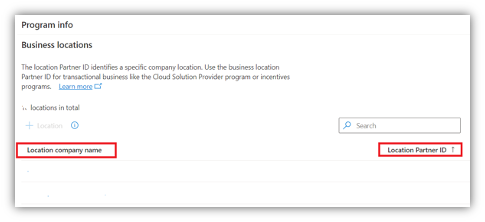
How to locate MPN Location ID
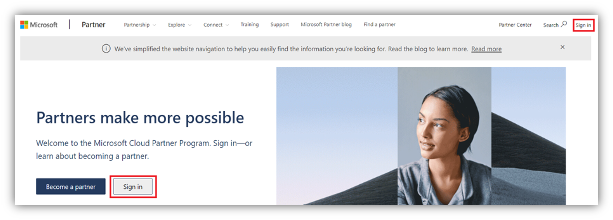
1. Navigate to partner.microsoft.com and sign in through either sign-in tab
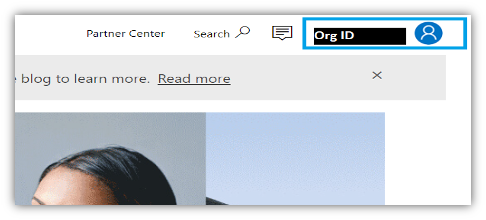
2. You will see your Org ID in the top right corner. This is NOT your Location ID.
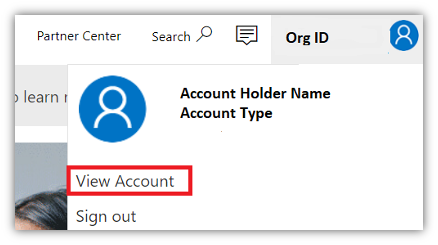
3. Click on your Org ID and select ‘View Account’ on the drop-down menu.
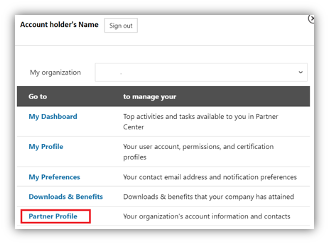
A pop-up will appear shown in step 4.
A pop-up will appear shown in step 4.
4. Click on ‘Partner Profile’.
5. You will arrive at the ‘Account setting’ page and click the ‘Business Locations’.
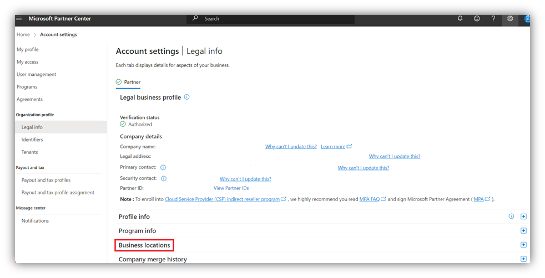
6. You will be directed to your MPN Location IDs.